Electronics Circuits - Blazer Power Amplifier using Transistors   8 (4 sets) on the Sanken final will guarantee that the energy generated is enormous.

You can connect the output to the speakers as large as 18 "or 21" which in parallel as much as 2 pieces (4 ohm impedance).

His bass voice boomed though will be outdoors.

This power amplifier is very appropriate for those of you who really want to improve the sound quality of the sound system rentals.

Blazer in the design for the use of a sound system in a field that requires the beat at low frequencies.

With these Power Blazer, low tone (bass) that are produced will be deeper and kicking.

But must be supported by an appropriate speaker and the right speaker Box in the application.

For the use of the scale House (Home Audio) we do not recommend this Power Amplifier.

But to generate tone Mid or Mid High, little Blazer have a weakness at this point.

The Mid tone is generated less subtle or less detail.

So to your sound system, we recommend using the Power Blazer is only for Low-end Amplifier only.

There is one more thing you need to consider before you assemble the Blazer that the Power Amplifier is in dire need of a large flow of suply.

For the module X-8 Mono only, you need at least 20 Ampere Current Suply/45VAC.

To get more power, the AC voltage should be higher than that which is around 55-60 VAC.

SPECIFICATIONS


POWER AMPLIFIER BLAZER 800W (X8)
basic operational amplifier configurations
So to make things a little bit easier for all, here is a list of some of the “Basic Operational Amplifier Building Blocks” we can use to create different electronic circuits and filters.


The Voltage Follower

The Voltage Follower, also called a buffer dose not amplify or invert the input signal but instead provides isolation between two circuits. The input impedance is very high while the output impedance is low avoiding any loading effects within the circuit. As the output is connected back directly to one of the inputs, the overall gain of the buffer is +1 and Vout = Vin.

The Voltage Follower Op-amp Circuit

op-amp voltage follower

The Op-amp Inverter

The Inverter, also called an inverting buffer is the opposite to that of the previous voltage follower. The inverter does not amplify if both resistances are equal but does invert the input signal. The input impedance is equal to R and the gain is -1 giving Vout = -Vin.

The Op-amp Inverter Circuit

op-amp inverter

The Non-inverting Amplifier

The Non-inverting Amplifier does not invert the input signal or produce an inverting signal but instead amplifies it by the ratio of: (RA + RB)/RB or commonly 1+(RA/RB). The input signal is connected to the non-inverting (+) input.

The Non-inverting Op-amp Circuit

non-inverting amplifier

The Inverting Amplifier

The Inverting Amplifier both inverts and amplifies the input signal by the ratio of -RA/RB. The gain of the amplifier is controlled by negative feedback using the feedback resistor RA and the input signal is fed to the inverting () input.

The Inverting Op-amp Circuit

inverting operational amplifier

The Bridge Amplifier

The inverting and non-inverting amplifier circuits from above can be connected together to form a bridge amplifier configuration. The input signal is common to both op-amps with the output voltage signal taken across the load resistor, RL. If the magnitudes of the two gains, A1 and A2 are equal to each other then the output signal will be doubled as it is effectively the combination of the two individual amplifier gains.

The Bridge Op-amp Circuit

bridge amplifier

The Voltage Adder

The Adder, also called a summing amplifier, produces an inverted output voltage which is proportional to the sum of the input voltages V1 and V2. More inputs can be summed. If the input resistors are equal in value (R1 = R2 = R) then the summed output voltage is as given and the gain is +1. If the input resistors are unequal then the output voltage is a weighted sum and becomes:
Vout = -(V1(RA/R1) + V2(RA/R2) + etc.)

The Voltage Adder Op-amp Circuit

op-amp adder circuit

The Voltage Subtractor

The Subtractor also called a differential amplifier, uses both the inverting and non-inverting inputs to produce an output signal which is the difference between the two input voltages V1 and V2 allowing one signal to be subtracted from another. More inputs can be added to be subtracted if required.
If resistances are equal (R = R3 and RA = R4) then the output voltage is as given and the voltage gain is +1. If the input resistance are unequal the circuit becomes a differential amplifier producing a negative output when V1 is higher than V2 and a positive output when V1 is lower than V2.

The Voltage Subtractor Op-amp Circuit

op-amp subtractor circuit

The Op-amp Comparator

The Comparator has many uses but the most common is to compare the input voltage to a reference voltage and switch the output if the input voltage is above the reference voltage. If the input goes more positive than the reference voltage set by the voltage divider, Vin > Vref, the output changes state. When the input voltage drops below the preset reference voltage and Vin < Vref, the output switches back. By using positive feedback the basic comparator circuit can easily be converted into a Schmitt Trigger to reduce oscillations around the switching point.

The Comparator Op-amp Circuit

comparator op-amp circuit
Here are just some of the more common and basic operational amplifier building block configurations discussed in this section that we can use in electronic circuits. All the above circuits can be constructed using a variety of different op-amps including the famous 741 op-amp. I hope that this short tutorial about basic op-amp building blocks will help you to understand the different basic op-amp circuit configurations.
AMPLIFIERS NON-INVERTING AND INVERTING AMPLIFIERS
PDF FILE - CLICK HERE FOR PRINTABLE WORKSHEET
1. An inverting amplifier - Leg two is the input and the output is always reversed or inverted.
2. A Non-inverting amplifier - Leg three is the input and the output is not reversed.
   
Opposite is a diagram of an INVERTING AMPLIFIER. This means that if the voltage going into the 741 chip is positive, it is negative when it comes out of the 741. In other words it reverses polarity (inverts polarity).
Two resistors are needed to make the 741 work as an amplifier, R1 and R2. In most text books diagrams like this are used to represent the 741.
   
HOW TO CALCULATE THE 'GAIN'

An operational amplifiers purpose is to amplify a weak signal and this is called the GAIN.
INVERTING AMPLIFIER

GAIN (AV) = -R2 / R1

Example : if R2 is 100 kilo-ohm and R1 is 10 kilo-ohm the gain would be :

-100 / 10 = -10 (Gain AV)

If the input voltage is 0.5v the output voltage would be :

0.5v X -10 = -5v
NON-INVERTING AMPLIFIER

GAIN (AV) = 1+(R2 / R1)

Example : if R2 is 1000 kilo-ohm and R1 is 100 kilo-ohm the gain would be :

1+ (1000/100) = 1 + 10
OR
GAIN (AV) = 11

If the input voltage is 0.5v the output voltage would be :

0.5 X 11 = 5.5v


The polarity of a signal is reversed at the output, pin six.

A negative input becomes a positive output.
A signal applied keeps its polarity at the output, pin six.

A positive input remains a positive output.
   
Buffer Opamp Amplifier
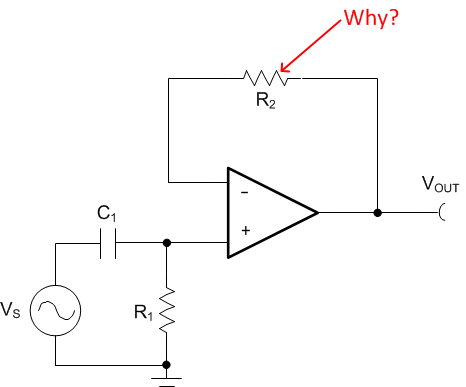
A unity gain buffer amplifier is implemented using an opamp in a negative feedback configuration. The output is connected to its inverting input, and the signal source is connected to the non-inverting input. Although its voltage gain is 1 or unity, it has high current gain, high input impedance and low output impedance. It is used to avoid loading of the signal source.
How Hysteresis Works in Opamp Circuits


The post discusses how hysteresis resistor in opamps works and helps to create a delayed switch ON and switch OFF across its output in response to the difference between its input pins.

enables the user to set the full charge cut off and low charge restoration of the relay apart by some voltage difference. If the hysteresis was not introduced the relay would rapidly switch ON OFF at the cut off level causing a serious issue with the system.

The question was raised by one of the dedicated readers of this blog Mr. Mike.

why are 4.7 zeners being used for the reference voltage? If we don’t want the 12 volts to drop below 11 for discharge,

Is the feed back resistor going to the virtual ground point a 100K resistor? If so, why was this value chosen?

2) Also, I apologize, I forgot to as why are there 4.7 zeners at the bases of the BC 547 transistors?

3) Also my last question for today for this circuit. 

The red/green indication LEDs; how do they light up? I mean the red
LED is connected through its resistor to the top + rail, connects to
the output of the OPAMP, then goes down in series towards the green LED.
It would seem they would

be both on at the same time, since they are in series, in both circuits. Does it have something to do with the

feedback circuit and virtual ground? Oh I think I may see. So when
the OPAMP is off, the top red LED 

current is going through the feedback
resistor (thus its “on”)to the virtual ground point? But how does it get 

switched off, when the OPAMP has an output? When the OP AMP gets an
output, I can see that going down to the green LED, but how, in that
state, does

the red LED then get switched off?

Thanks again for any help!

My Reply

4.7 is not a fixed value it can be changed to other values also, the pin#3

preset ultimately adjusts and calibrates the threshold as per the selected

zener value.

Question

so the ref voltage is the zener is at pin 2 (top view opamp) correct?
The 100K feedback resistor and pot are creating the hysteresis value
(meaning, the difference between pin 2 and 3 to make the opamp swing
high to its + rail voltage)? 

The op amp in this config is always trying
to make pins 2 and 3 arrive at the same value via its feedback resistor,
correct (zero, since the feedback divider is @ 0 and pin 3 is @
ground)?


Ive seen this solar charger controller done without the feed back, just
using several op amps with voltage ref pins and a pot on the other one

just trying to understand how hysteresis is working in this case

I dont understand the math in this circuit. Is the 100k 10k preset feedback absolutely necessary?

In other op amp circuits, they dont use any feed back just use them in
comparator config mode with ref 

 
voltage at invert/non invert pin, and
when one is exceeded, the opamp swings to its rail voltage


What is the feed back doing? I understand the opamp gain formula, in
this case is it 100k/10k x voltage difference of POT voltage
(preset)value and 4.7 zener?

or is this a Schmidt trigger type of hysteresis UTP LTP circuit

yeah I still dont get the feed back with the 100k/10k; most opamp
comparators Ive seen just use the opamp in saturation, could you explain
why the feedback and gain for this? 

Thanks
   

Ok I goofed; the 10K preset is used to divide the voltage from the
12volt rail, correct? So, when its preset value according to the POT
wiper is more? than the 4.7zener, we swing the opamp high? still dont
get the 100k feedback and why its used in a comparator circuit

My Reply

Please refer to the above example figure for understanding how the feedback resistor works in an Opamp circuit

I am sure you know about how voltage dividers work?
 As soon as the full

charge threshold is detected, as per the adjustment of pin#3 preset the
voltage at pin#3 becomes just higher than pin#2 zener voltage, this forces the opamp
output to swing to the supply level from its previous zero volt….meaning
it changes from say 0 to 14V instantly.

In this situation we can assume now that the feedback is connected between
“positive supply” and pin#3…when this happens the feedback resistor
starts supplying this 14V to pin#3, which means it further reinforces the
preset voltage and adds some extra volts depending upon its resistance
value, technically this means this feedback becomes in parallel with
preset resistor which is set between its center arm and the positive arm.

So suppose during the transition pin#3 was 4.8V and this switched the
output to the supply level and allowed the supply to reach back to pin#3
through the feedback resistor, which caused the pin#3 to a bit more higher say at
5V….due to this pin#3 voltage will take longer to get back to below the
4.7V zener value level because it has been raised to 5V…this is called hysteresis.

Both LEDs will never light up because their junction is connected with
pin#6 of the opamp which will either at 0V or the supply volt which will
make sure that either the red LED lights up or the green, but never
together.


Source link

Battery Over Discharge Protection Circuit Using Arduino


In this post, we are going to construct a over discharge protection circuit for 12v battery using Arduino   which can protect 12V
SLA battery against over discharge, and also protect the connected load
from overvoltage in case of overcharged battery is connected.

     
By Girish Radhakrishnan

All the batteries have natural death, but most of them are murdered. The life span of battery will get shorten if the voltage of a battery goes below certain degree, in case of 12V SLA battery, it must not go below 11.80 V.
This project could be accomplished with comparators, but here we are using microcontroller and coding to accomplish the same.

This circuit is well suitable for resistive loads and other loads which don’t generate noise in the supply during operation. Try to avoid inductive loads such as brushed DC motors. Microcontrollers are sensitive to noise and this setup may read error voltage values in such case, and it may cut-off the battery from load at wrong voltage.

The circuit:

Battery Over Discharge Protection Circuit Using Arduino

The discussed over discharge protection circuit for 12v battery consists of a voltage divider which is responsible for stepping down the input voltage and reduce to narrow range where arduino can read the voltage.

The pre-set resistor is used to calibrate the readings on arduino; these readings are used by arduino to trigger the relay, the calibration of this setup will be discussed later part of the article.

A LED indicator is utilized for indicating the status of the relay. The transistor drives the relay on/off and a diode is connected across the relay for arresting high voltage spike generated from relay, while switching it on/off.

When the battery voltage goes below 11.80V, the relay gets turned on and disconnects the battery from load and LED indicator also turns on, this happen same when the circuit reads overvoltage from the battery, you can set the overvoltage cut-off in the program.

When the battery goes below 11.80V, the relay disconnect the load, the relay will reconnect the load to battery only after when the battery voltage attains above nominal voltage which is set in the program.

The nominal voltage is normal operating voltage of the load. The above stated mechanism is done because; the battery voltage rise after disconnecting from load and this must not trigger the relay ON at low battery state.

The nominal voltage in the program set as 12.70 V which is full battery voltage of typical 12V SLA batteries (Full battery voltage after disconnecting from charger).

Program:

//———Program developed by R.Girish———-//
float cutoff = 11.80;            //Cutoff voltage
float nominal = 12.70;           //Nomial Voltage
float overvoltage = 14.00;       //Overvoltage
int analogInput = 0;
int out = 8;
float vout = 0.0;
float vin = 0.0;
float R1 = 100000;
float R2 = 10000;
int value = 0;
int off=13;
void setup()

   pinMode(analogInput,INPUT);
   pinMode(out,OUTPUT);
   pinMode(off,OUTPUT);
   digitalWrite(off,LOW);
   Serial.begin(9600);

void loop()

   value = analogRead(analogInput);
   vout = (value * 5.0) / 1024;
   vin = vout / (R2/(R1+R2));
   if (vin<0.10)

   vin=0.0;

if(vin<=cutoff)

digitalWrite(out,HIGH);

if(vin>=nominal && vin<=overvoltage && vin>cutoff)

digitalWrite(out,LOW);

if(vin>=overvoltage)

  digitalWrite(out,HIGH );
  delay(10000);

Serial.println(“INPUT V= “);
Serial.println(vin);
delay(1000);

//———Program developed by R.Girish———-//

Note:

float cutoff = 11.80;            //Cutoff voltage
float nominal = 12.70;           //Nomial Voltage
float overvoltage = 14.00;       //Overvoltage

You can change the cut-off, nominal and overvoltage by changing the above values.
It is recommended not modify these values unless you are working with different battery voltage.

 How to calibrate:

The calibration for this battery over discharge protection circuit must be done carefully; you need a variable power supply, a good multimeter and a screw driver for adjusting the pre-set resistor.

1)    The completed setup is connected to variable power supply without load.
2)    Set the 13 volt on the variable power supply, verify this using multimeter.
3)    Open the serial monitor and rotate the pre-set resistor clock or counter clock wise and bring the readings close to the readings of multimeter.
4)    Now, reduce the voltage of variable power supply to 12V, the multimeter and serial monitor must read same or very close value.
5)    Now, reduce the voltage to 11.80 V the relay must trigger on and LED must light up.
6)    Now, increase the voltage to 14.00V the relay must trigger on and LED light up.
7)    If the above sets are successful replace the variable power supply with a fully charged battery, the readings on serial monitor and multimeter must be same or very close to same.
8)    Now connect the load, the readings on both must remain same and synchronized.
If the above steps are successful your circuit is ready to serve the battery.

NOTE: 

Please not this point while calibrating.

When the relay is triggered on due to low voltage cut-off or due over voltage cut-off, the readings on serial monitor will not read the correct voltage as on multimeter, and shows higher or lower than on multimeter.

But, when the voltage falls back to normal operating voltage the relay will turns off and starts showing correct voltage.

The conclusion of the above point is that, when the relay is trigged ON, the readings on the serial monitor show some significant variation and you need not to calibrate again at this stage.


Source link

Transistor UPS Circuit with Charger


The article details a simple transistor based UPS circuit with a built-in battery charger circuit, which can be used for getting an uninterruptible mains power output cheaply, in your homes and office, shops etc. The circuit can be upgraded to any desired higher wattage level. The idea was developed by Mr. Syed Xaidi.

The following data wasprovided by Mr. Syed through email:

I saw that people are getting educated by your post. So, i think you should explain people about this schematic.
This circuit has astable mutivibrator based on transistors as you did. The capacitors c1 and c2 are the 0.47 for getting output frequency about 51.xx Hz as i measured but it is not constant in all cases.
The MOSFET has reverse high power diode that is used to charge the battery there is no need to add a special diode to the circuit. I’ve shown the switching principle with relays in the schematic. RL3 must be used with a cutt off circuit.
This circuit is very simple and i’ve tested it already. I am going to test another design of mine will share with you as soon as test is done. It controls output voltage and stabilize that using PWM. Also in that design i am using transformer 140v winding for charging and BTA16 for controlling the charging amperes. Lets hope for the Good.

​You’re doing best. Never Quit, Have a wonderful day.​
​Stay Blessed,​

Syed Asim Ali Xaidi
(Engineer/Musician)

Founder Of
Sam Technology Professionals
Contact : 0320-4058052

Transistor UPS Circuit with Charger


Source link

Capacitive Power Supply Circuit with Maximum Protection


A comprehensive capacitive power supply circuit having a zero crossing detector, a surge suppressor and voltage regulator is discussed here, the idea was was submitted by Mr. Chamy

The Design

Hello Swagatam.

This is my zero crossing, surge protected capacitive power supply design with voltage stabilizer,i will try to list all of my doubts.
(I know this will be expensive for the capacitors,but this is only for testing purposes)

Capacitive Power Supply Circuit with Maximum Protection

1-I’m not sure if the BT136 haves to be changed for a BTA06 for accommodating more current.

2-The Q1 (TIP31C) can handle only 100V Max. Maybe it should be changed for a 200V 2-3A transistor?,like the 2SC4381.

3-R6 (200R 5W),I know this resistor is pretty small and its my
fault,i actually wanted to put a 1k resistor.But with an 200R 5W
resistor it would work?

4-Some resistors have been changed following your recommendations to make it 110V capable.Maybe the 10K one needs to be smaller?

If you know how to make it work correctly,i will be very happy to correct it.If it works i can make a PCB for it and you could publish it in your page (For free of course).

Thank you for taking the time and viewing my full of faults circuit.

Have a nice day.

Chamy

My Reply:

Hello Chamy, your circuit looks OK to me.

Here are the answers to your questions:

1) yes BT136 should be replaced with a higher rated triac.

2)TIP31 should be replaced with a Darlington transistor such as TIP142 etc
otherwise it might not work properly.

3) when a Darlington is used the base resistor could be high in value, may be a 1K/2
watt resistor would be quite OK.

However the design by itself looks an overkill, a much simpler version can
be seen below

http://ift.tt/2dXFBt1

Regards
Swagatam


Source link

Transformerless 0-400V Power Supply Circuit


A cool 0-400V variable transformerless power supply circuit can be built using just a single chip LR8, and a few resistors. The IC features  a built in current control stage which makes the design extremely safe even for critical electronic circuits.

The IC LR8 is quite similar to our very own LM317 or LM338 ICs except their maximum input voltage and the current delivering capacity specs which are wide apart, rest of the attributes are exactly similar.

Since the IC LR8 is designed to work with huge voltages upto 430V, its current handling capacity is consequently much lower at 20mA maximum, but nevertheless, at 400V this current could appear significantly useful.

Since the proposed 0-400V transformerless power supply circuit is rated to work with over 400V AC, implies that this circuit could be simply plugged in with our mains socket directly without having to worry about surge inrushes, or other related catastrophic situations.

Transformerless 0-400V Power Supply Circuit

Referring to the circuit design of the 0-400V transformerless power supply above, we can see that it is exactly identical to the LM317 type voltage regulators, where R1 is used for setting up the reference voltage for the ADJ pin, while R2 is positioned for determining the intended output voltage across C2.

In the diagram the 18K resistor is supposed to produce a precise 5V at the output as long as the input voltage is 12V above the output value….meaning for acquiring 5V the minimum input supply voltage should be 17V. Similarly for ensuring a minimum 1.25V at the output, the input source will need to be around 13.2V. In short the differential voltage needs to be +12V over the desired output value.

For acquiring a smooth variable 0-400V or 0-300V DC output from a 220V mains rectified input source, the R2 could be replaced with a 100K pot.

For other fixed values the specified formula could be utilized as suggested in the diagram.

The pinout diagram for the LR8 IC can be learned from the following image:

Now since you know how to build a 0-400V transformerless power supply circuit, how do you plan to use it for your specific need?….think, and share if possible through the comment box.


Source link

Foot Activated Staicase Light Circuit


The post explains a simple foot activated staircase light circuit comprising of a chain of LEDs which activate sequentially in response to each climbed step. The idea was requested by one of the dedicated members of this website.

The Request

Hi, I’m hoping you can help me. I am hoping to make a LED light up staircase.
Using LED light strips on each step I would like the circuit to be activated by a Pressure switch on the first step (and top step for coming back down). There are 2 ways I would like it to work.
Option 1:
The LED’s to light up in a delay, step-by-step with say a 1 or 2 second delay between each step illuminating. But the lights staying on until the last light is illuminated, then they all turn off together maybe 3 or 4 seconds after the last step is illuminated.
Option 2: I imagine somewhat easier and more simple would be;
The LED’s to all activate at the same time upon being activated by the pressure switch. Remaining on for 10 or 15 seconds then all turning off together.


I have not done anything like this before so would really appreciate all possible support and information.


Many thanks in advance.

The Design

The proposed foot activated staircase LED light circuit can be implemented in two unique ways:

1) The first idea allows a chain of LEDs installed across the length of the entire staircase to be lit sequentially, one after the other in response to each step climbed by the visitor.

2) The second concept allows all the LEDs to light up together when the visitors steps on the first stair, and the light is shut off as soon as the visitor has crossed the last uppermost

The first concept can be implemented by installing the following circuit across each of the stair steps:

Foot Activated Staicase Light Circuit

 The piezo transducer in the design is used as a pressure to electricity converter. The piezo element is supposed to be embedded withing each of the stair, while each of the associated circuitry to be wired with it within the nearby wall along with the LED.

Once done, whenever someone steps on the staircases, the relevant piezo generates a small electric pulse in response to the vibration, which in turn triggers the 2N2222 delay OFF timer stage, and the LED which now lights up for a few seconds and then automatically shuts off.

The above action goes on happening as the visitor climbs the steps, illuminating and shutting off each subsequent LED in a sequential manner.

The second foot activated staircase light circuit idea can be enforced by installing the following across the first and the last staircases.

In the above design two piezo transducers can be seen embedded across the first and the last staircases.

When the first piezo is hit by the foot of the visitor, the tiny electrical pulses generated from the piezo is amplified by the T1/T2 stage and applied at pin#14 of the IC 4017, which is rigged as a flip flop stage here.

The trigger allows the 4017 to toggle ON the relay driver stage which lights up the LED lamp.

The process also triggers a delay ON timer circuit which begins counting the delay for which it is been fixed.

In the meantime the user continues climbing the steps until he reaches the upper most step, and his foot activates the second piezo transducer, which yet again toggles the IC 4017, but this time to switch OFF the relay driver stage and the LED.

In case the user decides not the climb the steps and returns back or takes abnormally too long to complete his journey across the steps, the delay timer comprising T3/T4 switches ON into action and resets the IC 4017 IC causing the LED to switch OFF.

If you have more innovative suggestions to improve the discussed foot activated staircase LED light circuit, please use the comment box for expressing the same.


Source link

Features

  • Four mono input channels each with Panning, Effect 1 Send and Effect 2 Send.
  • Effect 1 and Effect 2 return can be used as additional stereo line inputs.
  • Two stereo line inputs.
  • Stereo Line Out
  • Integral Stereo Headphone Amp
  • Easy to add additional mono channels with another board.
Features Stereo Mixer

Introduction

Who in their right mind would build a mixer when you can buy a nice small Behringer Mixer for about 40 bucks? I don't know... probably me..., and maybe some other steely-eyed, hard-core, solder junkie, synth-diy'er that's who :-)

A versatile stereo mixer for use with your synth modules. You can easily change gains on the mono input channels to accomodate high-Z microphones (not balanced input mics), electric guitars or other instruments. By adding another board and populating only the mono inputs (or mono inputs and stereo input components) you can add more channels to the audio and effect busses of the first fully populated board. More details on this configuration can be found below.


Stereo Mixer Schematic Page 1

MFOS 8 Input (Expandable) Panning Mixer With Two Effect Sends

In the Stereo Mixer there are four mono input channels and four sets of stereo line inputs. Each mono input consists of a level pot, capacitively coupled to a buffer amplifier. Channel one for example has R2 (100K audio taper pot) as the input level control. The wiper is connected via C1 and R3 to U1 (TL071 low noise op amp) which provides a gain of 10.

Changing Channel Gains

Feedback resistors in any of the mono input channels can be independently adjusted to provide more or less gain for any channel. The formula for gain is very simple (feedback resistor value) divided by (input resistor value) or RFB/RIN. Each channel is shown with 47K input resistor and a 470K feedback resistor (giving a gain of 10 (470,000/47,000)). To decrease the input channel gain to 1.0 (for high level synth signals) use 470K resistors for the buffer input resistors (R3, R18, R33, R48). To increase the input channel gain to about 21 change the feedback resistors in the input buffers to 1M (R4, R19, R34, R49). Use the formula above to tailor the gain to your needs.

The small capacitor across the feedback resistor is there to prevent oscillation since the op-amps are not set for a gain of one. The channel 1 buffer feeds its panning circuit R5,R6,R7,R15,R8 which is used to send the signal to the right and left audio buss. The pan pot R7 brings the junction of R5,R6 or R15,R8 closer to or further from ground which causes the signal through either path to be attenuated when the wiper connected to ground is brought close to either one. This causes the signals being fed to the right and left audio buss to appear to be biased either left or right in the stereo field.

The channel buffer output also feeds the effect send pots for the channel. Each effect send pot has two resistors connected to its wiper that are fed to the effect buffer busses. The effect buffers for Effect Send 1 are U6-A and U6-B (Tl072 dual low noise op amp). The effect buffers for Effect Send 2 are U7-A and U7-B (Tl072 dual low noise op amp). The audio buss buffers are U5-A and U5-B (Tl072 dual low noise op amp).

The output of the audio buss buffers are used to feed headphone level pot R76 (dual audio taper 100K pot) whose wiper feed the headphone amps (U8 and U9 LM386 low voltage audio power amplifiers) via attenuators (R75 & R77 and R78 & R79). The effect returns and stereo line inputs are fed to the audio buss via the pots used as attenuators for each of the input pairs and the summing resistors. This is a very simple design and gains can be changed anywhere in the circuit by changing the values of individual summing resistors or feedback resistors in any of the op amp circuits.

If you want more input channels you can build another board but do not add the audio buss buffers, effect send buffers, or headphone amplifiers. Connect the second boards busses to the completely assembled board and it will provide the buffers for all channels. See part layouts highlighting what I mean below. It goes without saying (but obviously I'm saying it) that the second board will also need to be connected to the power supply.


Stereo Mixer Schematic Page 2

Setting Gains

A builder pointed out that the gain of "Stereo Line Input 1" is higher than the gain of "Stereo Line Input 2" due to the lower vlues of the input resistors. Stereo Line Input 1 uses 150K for R62 and R66 whereas Stereo Line Input 2 uses 47K for R69 and R73. As shown "Stereo Line Input 2" will be hotter (have higher gain) than "Stereo Line Input 1". To make these inputs operate at the same gain change R62 and R66 to 47K (both stereo inputs will have the higher gain) or change R69 and R73 to 150K, (both stereo inputs will have the lower gain). Throughout the circuit gains can be changed as desired by manipulating feedback or input resistors. For the feedback resistor, gain goes up if it is made larger in value and gain goes down if it is made smaller in value. The opposite is true for the input resistors.


Stereo Mixer Expanding For More Input Channels

To expand to eight mono input channels you use another board and only populate the mono input sections. You can populate the stereo line input components too if you want more stereo line inputs. Both boards must be powered from the supply and ground. Run jumpers from the partially populated (expander) board to the fully populated board to bring the mono channels to the stereo buss, effect busses and headphone amplifiers. Of course you need another set of pots and jacks for the four mono input channels. They should be wired in the same manner as the original four channels. I don't know a better way to explain this but if I have not described using another board for expansion clearly enough please consult one of your electronically oriented friends to see if they can help. Good luck.

Some Pics Of My Expanded Eight Channel Mixer

You can see how the one board is fully populated with components but the second board only has the components to support the additional input channels.

Approx. Current Consumption
+12V 31 mA
-12V 19 mA
+15V 33 mA
-15V 19 mA


Stereo Mixer PCB Parts Layout (Parts Side Shown) PDF


Stereo Mixer PCB Part Values Layout (Parts Side Shown) PDF

I find this view useful when I'm populating the board. I don't have to go back and forth from the designator to the value. It speeds up construction. Click the "Larger GIF" link and print the image as landscape.


Stereo Mixer PCB Bottom Copper (Parts Side Shown)


Stereo Mixer PCB Top Copper(Parts Side Shown)


Stereo Mixer PCB Top Silk Screen


Panel Drawings Updated

I updated this panel drawing so that it is 10.5 inches wide and 8.75 inches tall. This panel will take up 3 bays of a synth panel designed for 2 rows of 5 modules using 3.5" x 8.75" inch modular panels. Here are links to the old documents for reference.

Stereo Mixer Front Panel and Wiring PDF

This wiring layout and front panel are only suggestions. The wiring drawing is meant to show how the front panel is connected to the wiring points on the PC board. Whether you use coax cable is up to you for the panel to board wiring. Don't write to me about this. You can also shield the unit by building it into an aluminum box.


Stereo Mixer Front Panel Overlay PDF


Stereo Mixer Project Parts List

  • Lower noise higher performance (higher cost) Op-Amps are always welcome.
  • Usually biFET amps (quads, duals, singles) can be replaced with an equivalent from another manufacturer.
  • Capacitors can be film, ceramic, or silver mica.

Stereo Mixer Project Parts List

Qty. Description Value Designators
4   TL071 Op Amp(s)   TL071   U1, U2, U3, U4  
3   TL072 Dual Op Amp(s)   TL072   U5, U6, U7  
2   LM386N-4 Low Voltage Audio Power Amp(s)   LM386N-4   U8, U9  
1   LED   LED   LED1  
2   Capacitor Electrolytic(s)   10uF   C19, C15  
2   Capacitor Electrolytic(s)   1uF   C28, C39  
2   Capacitor Electrolytic(s)   220uF   C29, C38  
12   Capacitor Electrolytic(s)   47uF   C9, C12, C37, C24, C36, C27, C26, C34, C35, C25, C10, C13  
2   Ceramic Capacitor(s)   .047uF   C40, C30  
14   Ceramic Capacitor(s)   .1uF   C1, C3, C5, C7, C16, C20, C17, C21, C18, C22, C23, C33, C44, C43  
10   Ceramic Capacitor(s)   10pF   C2, C4, C6, C8, C32, C42, C41, C31, C14, C11  
5   Dual Gang Pot(s) Audio Taper   100K   R63, R70, R65, R72, R76  
12   Potentiometer(s) Audio Taper   100K   R2, R9, R13, R17, R24, R28, R32, R39, R43, R47, R54, R58  
4   Potentiometer(s) Linear Taper   100K   R7, R22, R37, R52  
21   Knobs      For all pots  
2   Resistor 1/4 Watt 5%(s)   10 ohm   R82, R85  
2   Resistor 1/4 Watt 5%(s)   100K   R77, R78  
16   Resistor 1/4 Watt 5%(s)   120K   R5, R6, R15, R8, R20, R21, R30, R23, R35, R36, R45, R38, R50, R51, R60, R53  
6   Resistor 1/4 Watt 5%(s)   150K   R61, R68, R64, R71, R66, R62  
4   Resistor 1/4 Watt 5%(s)   15K   R80, R83, R81, R84  
16   Resistor 1/4 Watt 5%(s)   20K   R10, R12, R11, R14, R25, R27, R26, R29, R40, R42, R41, R44, R55, R57, R56, R59  
2   Resistor 1/4 Watt 5%(s)   300K   R67, R74  
3   Resistor 1/4 Watt 5%(s)   4.7K   R79, R75, R86  
4   Resistor 1/4 Watt 5%(s)   470K   R4, R19, R34, R49  
6   Resistor 1/4 Watt 5%(s)   47K   R3, R18, R33, R48, R69, R73  
1   Stereo Headphone Jack   Stereo Jack   J17  
18   1/4" Phone Jack(s)   Phone Jack   J2, J3, J4, J1, J7, J14, J15, J18, J16, J19, J5, J8, J10, J12, J6, J9, J11, J13  

Miscellaneous

  • 1/16" Thick aluminum plate for mounting the pots and switches.
  • Unit is typically mounted in a synth case with other synth modules.
  • Assorted hardware 1" 6-32 nuts and bolts, 1/2" #8 wood screws, etc
  • Lots of Knobs for potentiometers, wire and solder.
  • Digital Volt Meter and a Signal Tracer or oscilloscope for testing.

This activity consists of a small, carriageable DJ mixer powered by a 9V dc alien accumulation adaptor or from a 9V PP3 battery.

The mixer appearance two stereo phono inputs and two stereo line-level inputs and has one stereo bond channel. A microphone ascribe and a stereo capital achievement with adjustable accretion are additionally provided.

Headphone ecology includes a cue about-face for selecting Approach 1, Approach 2 or Master Channel.


Compact DJ Station Circuit Diagram
 
Created By SoraTemplates | Distributed By Gooyaabi Themes